1. 使用 Admin Rest API
1.1. 在店铺后台创建一个销售渠道的私有应用
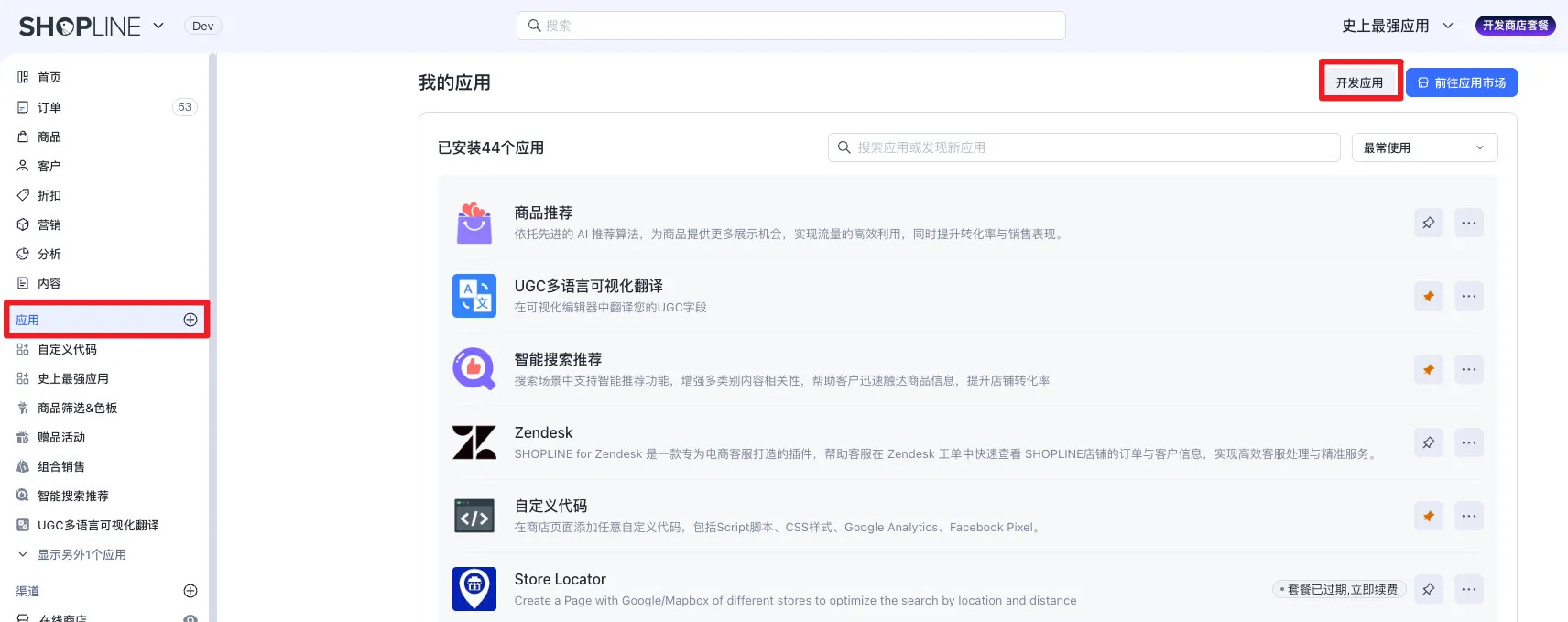
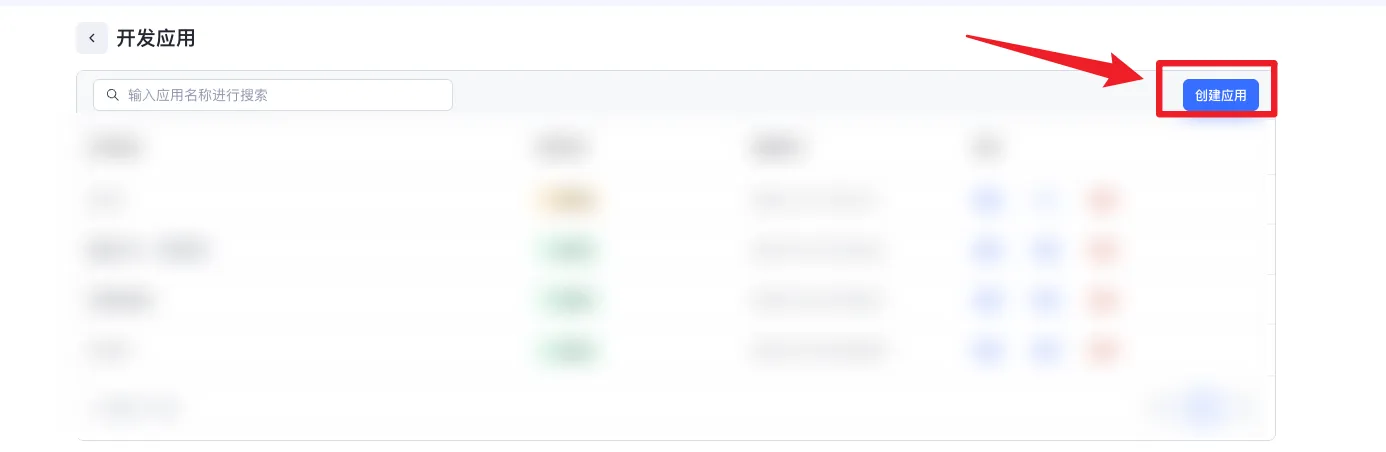
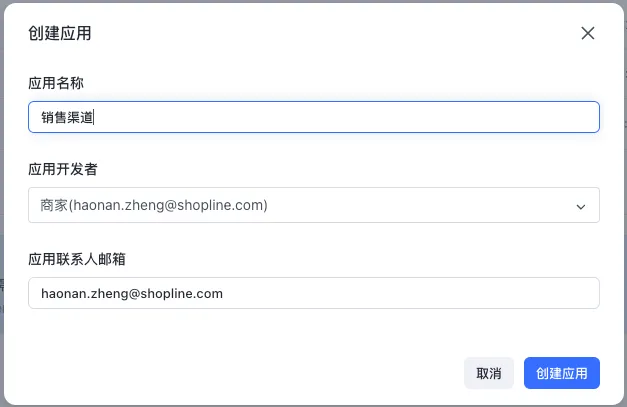
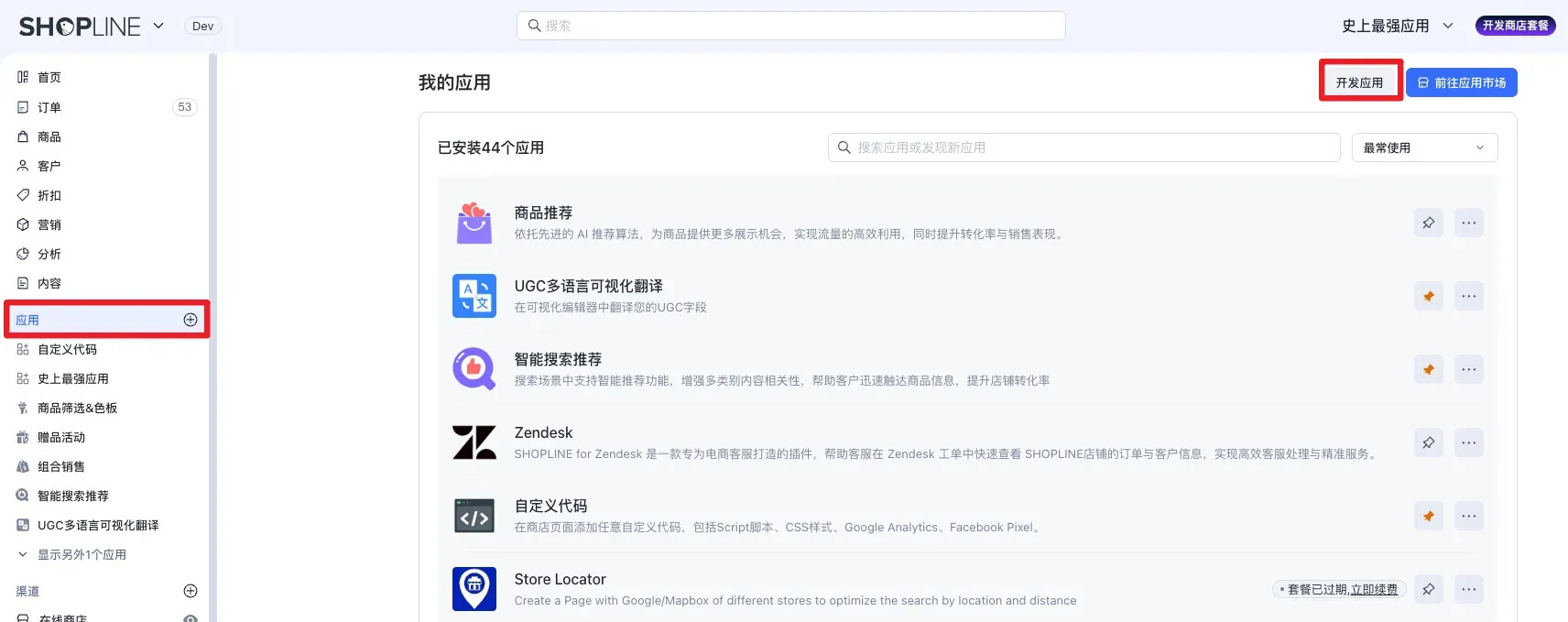
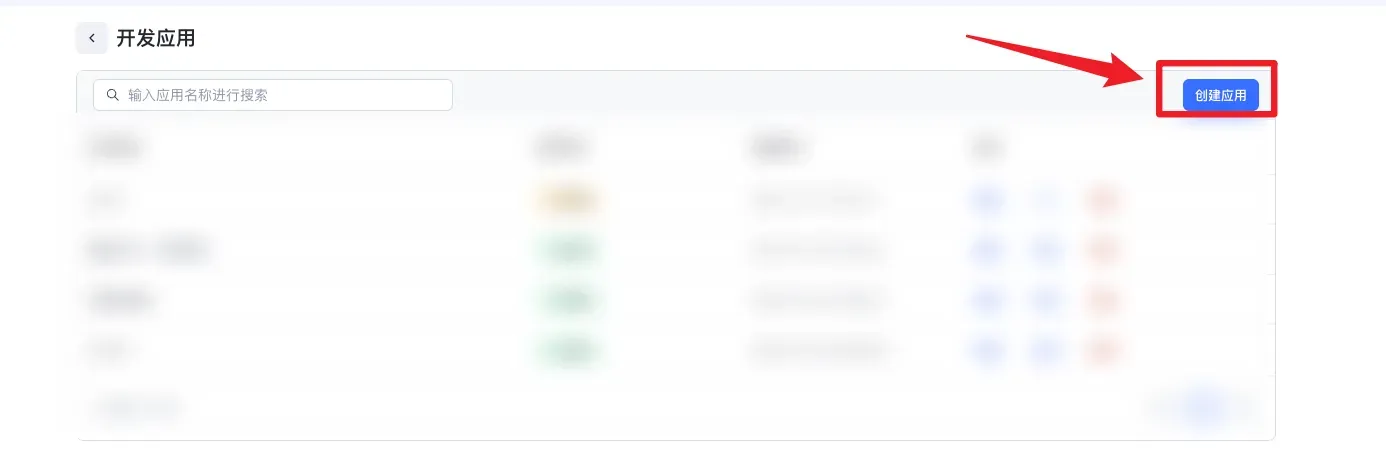
点击【应用】-【开发应用】-【创建应用】
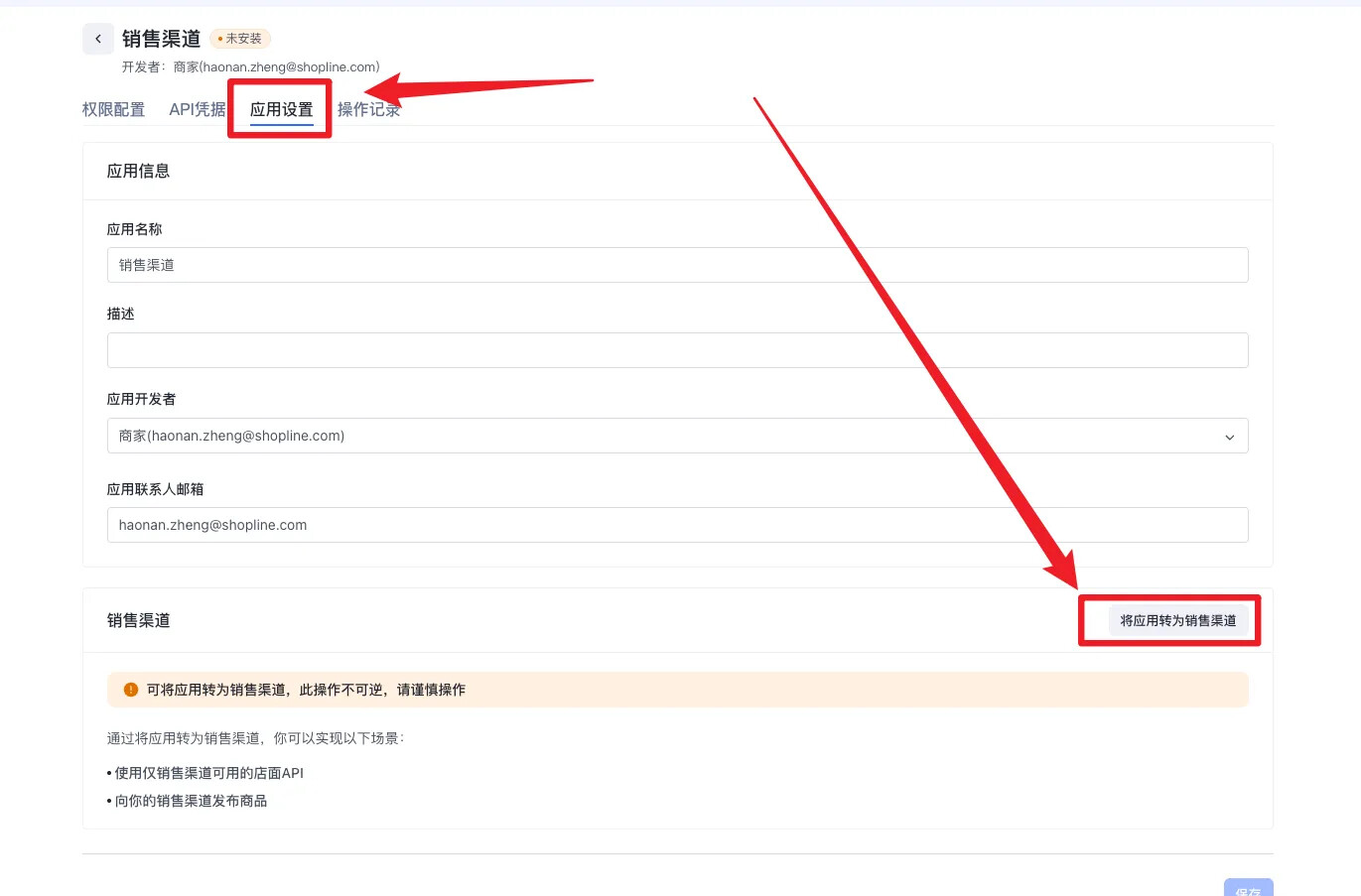
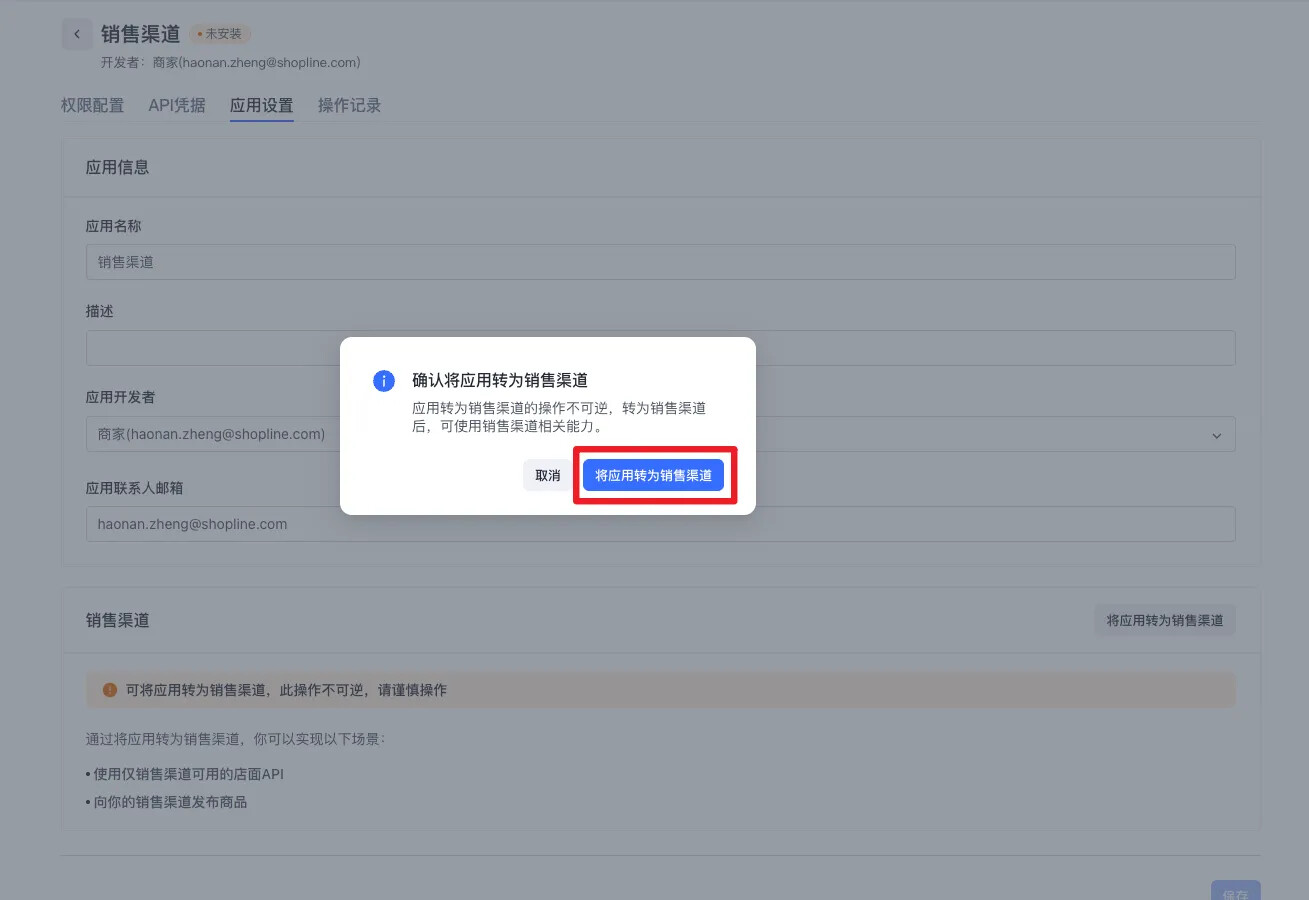
1.2. 将私有应用转为销售渠道
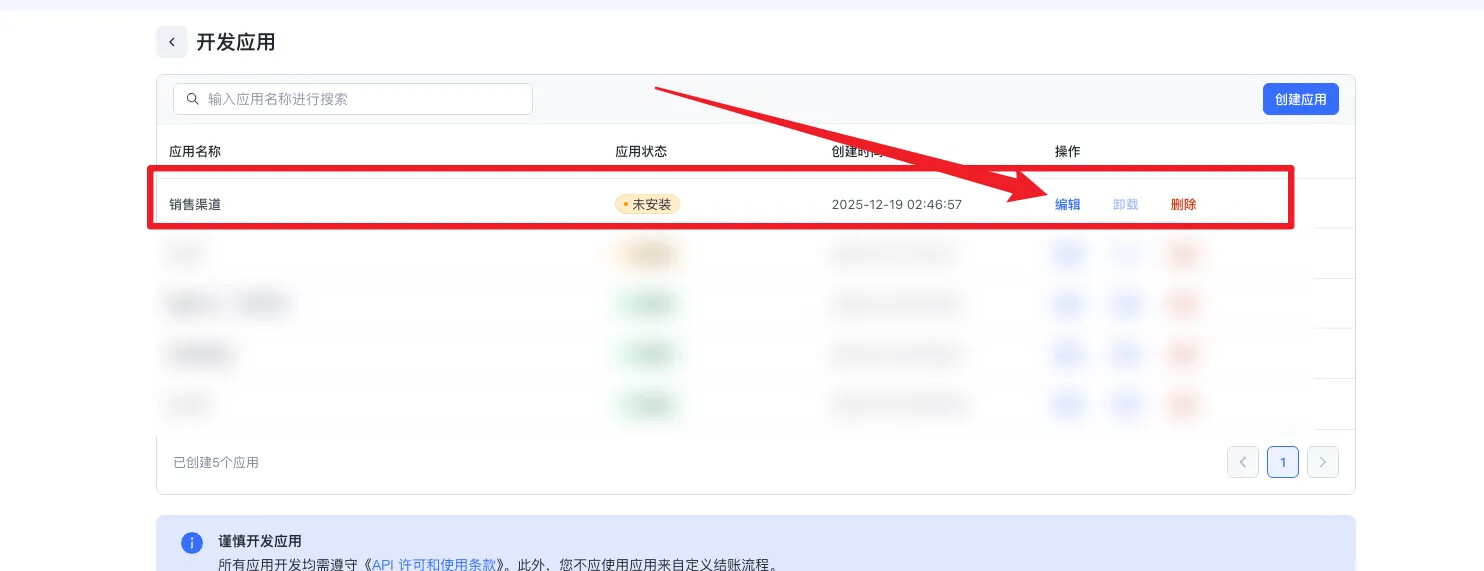
点击【编辑】-【应用设置】-【将应用转为销售渠道】-(将应用转为销售渠道)
1.3. 配置私有应用的相关权限
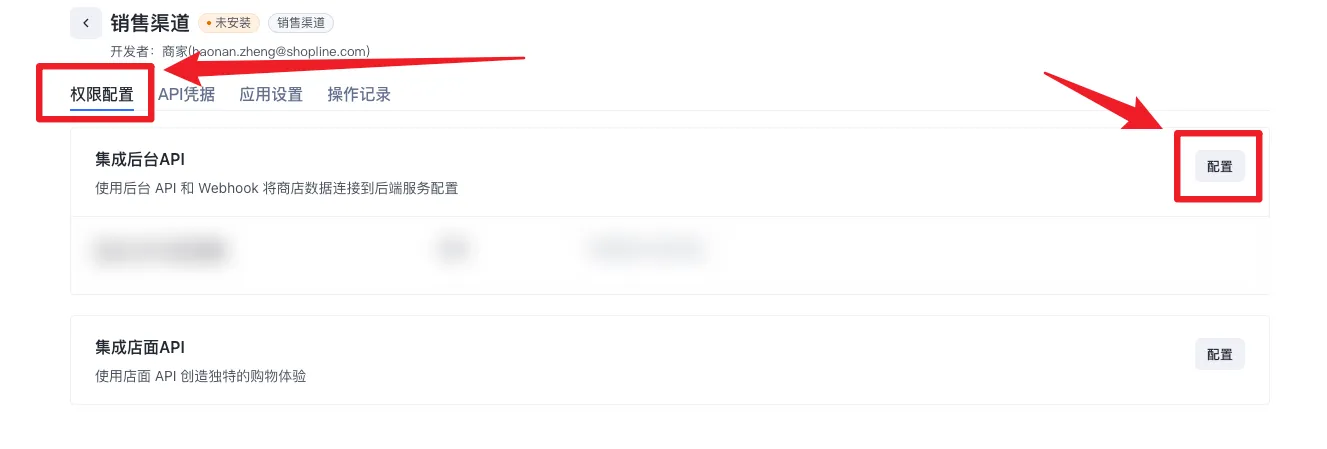
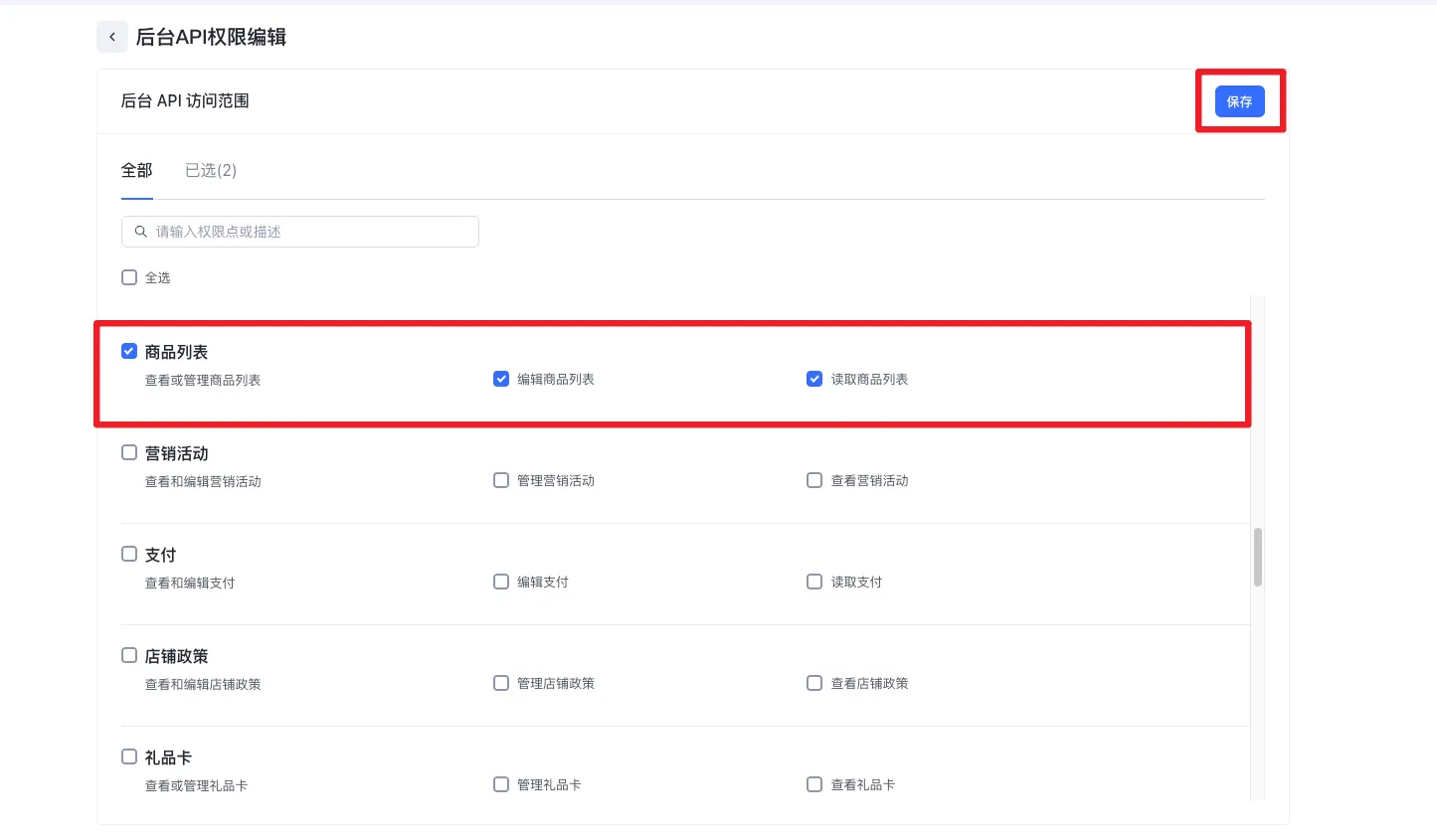
点击【权限配置】- 点击【配置】- 选择(商品列表-查看或管理商品列表)- 点击【保存】
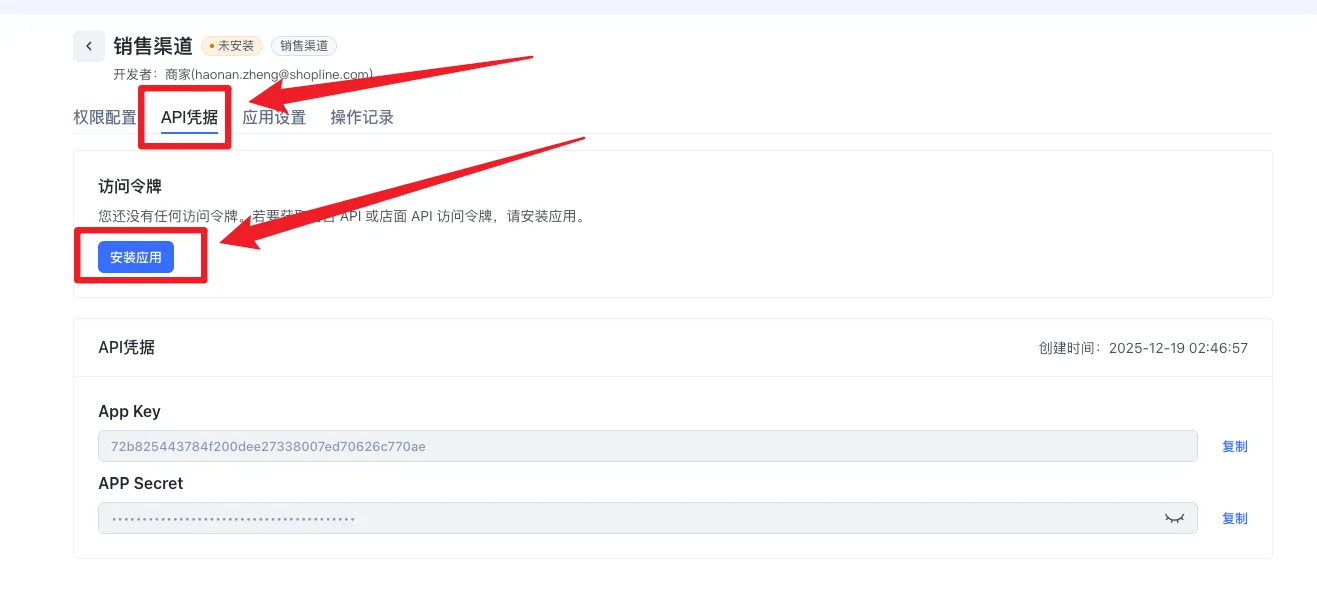
1.4. 安装私有应用
点击【API凭据】-【安装应用】
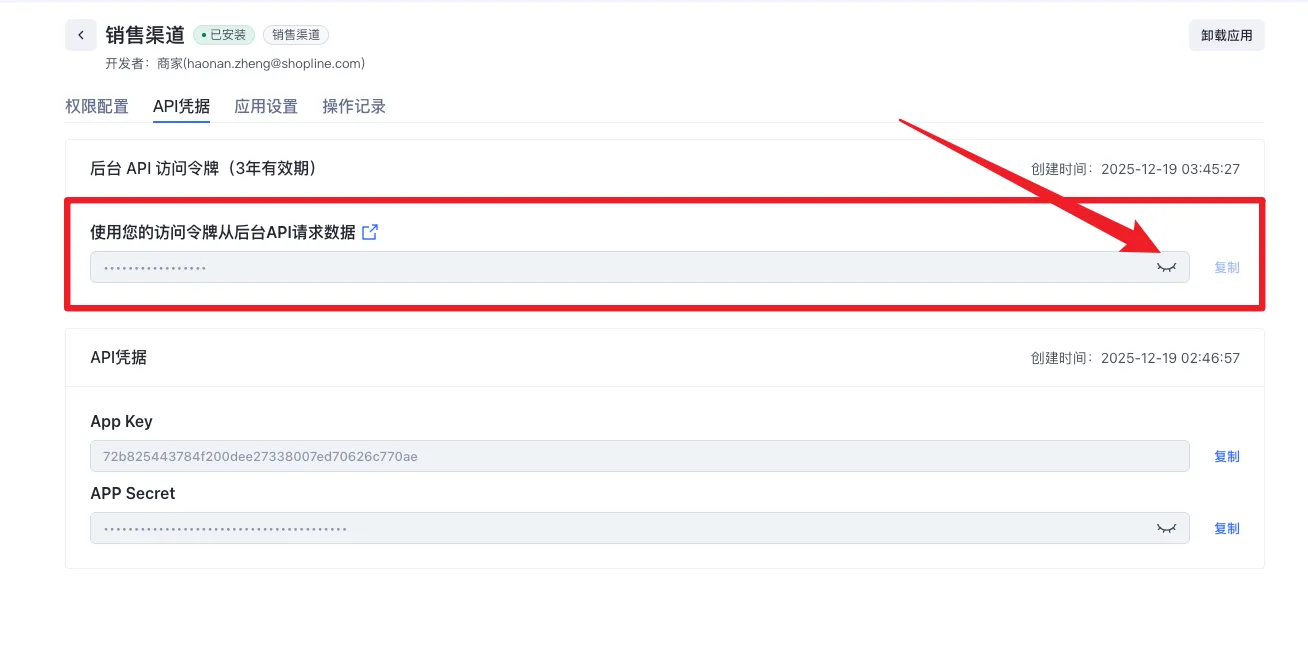
1.5. 获取后台 API 访问令牌
该token不得泄漏
1.6. 相关参数介绍
相关请求参数介绍:
| 名称 | 类型 | 是否必填 | 中文描述 | 英文描述 | 示例 |
|---|---|---|---|---|---|
| sale_channel | string | N | 销售渠道唯一标识。未传入则通过接口上下文信息判断当前销售渠道。 | Unique identifier for the sales channel. If not provided, the current sales channel will be determined based on interface context information. | web |
规则说明:
- 「用户传入的sale_channel」优先级高于「请求时后台 API 访问令牌的销售渠道」。
- 当「用户传入的sale_channel」不存在报错提示参数错误。
- 当「用户传入的sale_channel」传空(“”)/不传时,当前商品的销售渠道为「请求时后台 API 访问令牌的销售渠道」。
1.7. 添加商品到销售渠道
使用接口-添加商品到销售渠道
接口文档:
调用接口的curl:
curl --location --request PUT 'https://{店铺handle}.myshopline.com/admin/openapi/v20260301/product_listings/商品ID.json'
--header 'Authorization: Bearer 后台 API 访问令牌'
--header 'User-Agent: Apifox/1.0.0 (https://apifox.com)'
--header 'Content-Type: application/json; charset=utf-8'
--header 'Accept: /'
--header 'Host: {店铺handle}.myshopline.com'
--header 'Connection: keep-alive'
--data-raw '{
    "sale_channel": "销售渠道title",
    "product_id": "商品ID"
}'
1.8. 从销售渠道中移除商品
使用接口-从销售渠道中移除商品
接口文档:
调用接口的curl:
curl --location --request DELETE 'https://{店铺handle}.myshopline.com/admin/openapi/v20260301/product_listings/商品ID.json?sale_channel=销售渠道title'
--header 'Authorization: Bearer 后台 API 访问令牌'
--header 'User-Agent: Apifox/1.0.0 (https://apifox.com)'
--header 'Content-Type: application/json; charset=utf-8'
--header 'Accept: /'
--header 'Host: {店铺handle}.myshopline.com'
--header 'Connection: keep-alive'
--data-raw ''
2. 使用 Admin GraphQL API
2.1. 在店铺后台创建一个私有应用
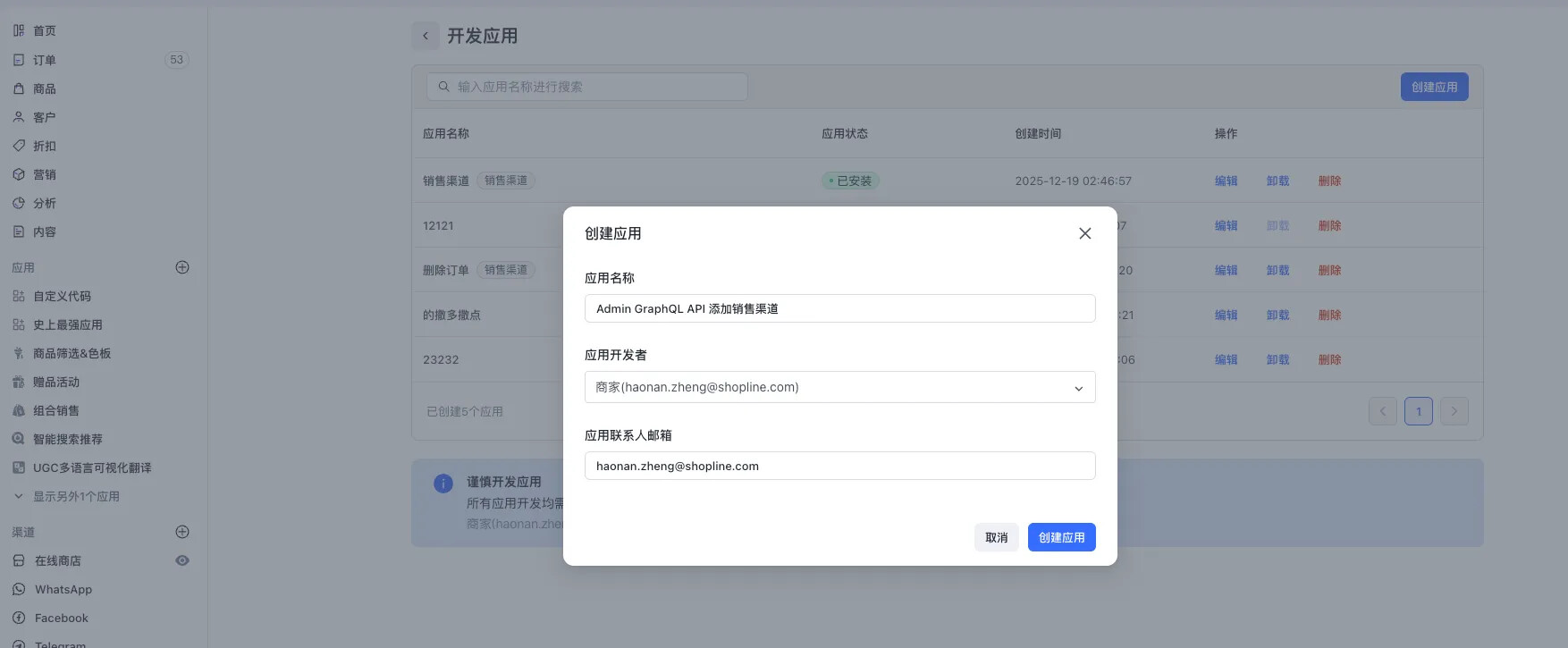
2.2. 配置私有应用的相关权限
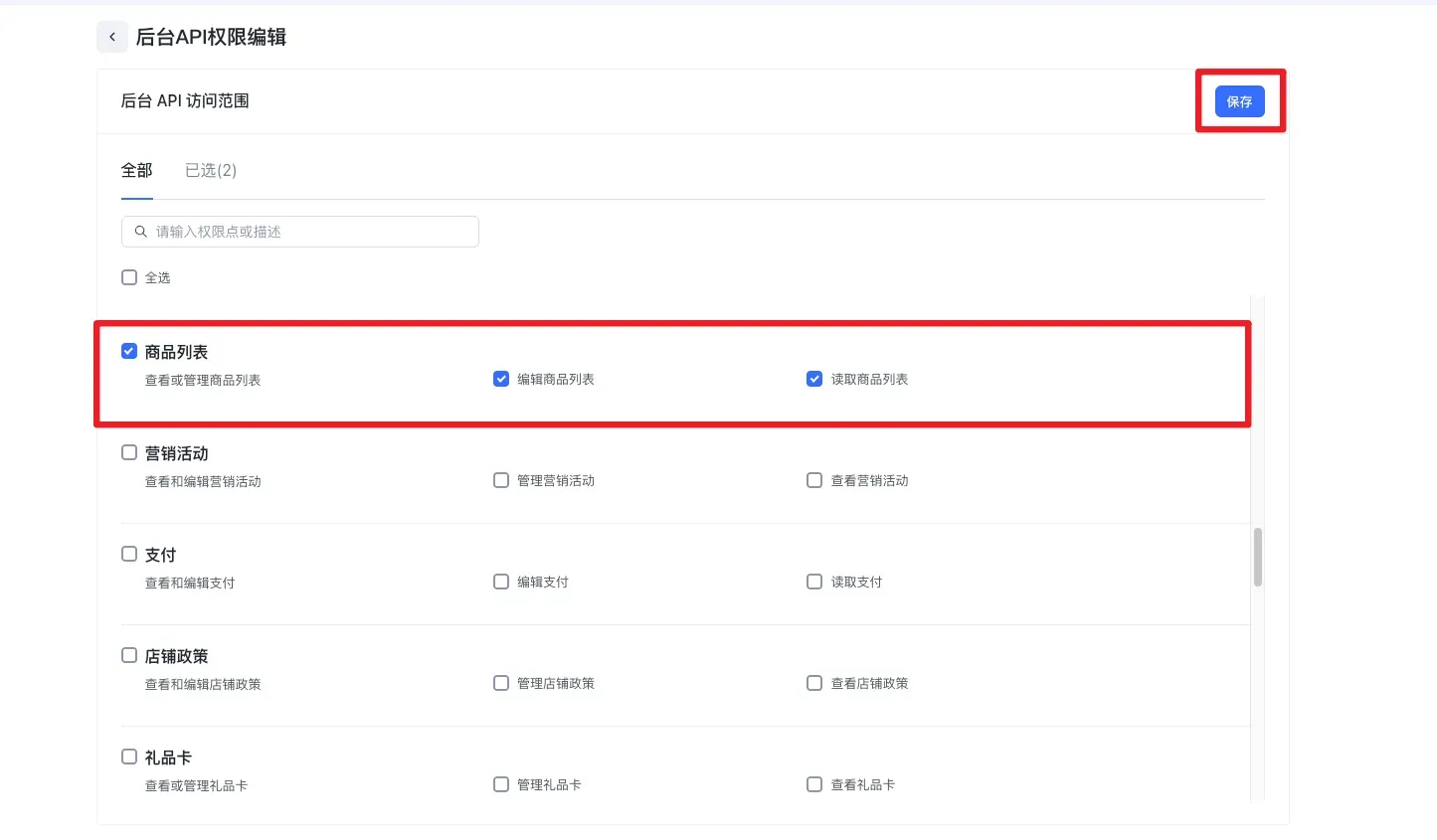
点击【权限配置】- 点击【配置】- 选择(商品列表-查看或管理商品列表)- 点击【保存】
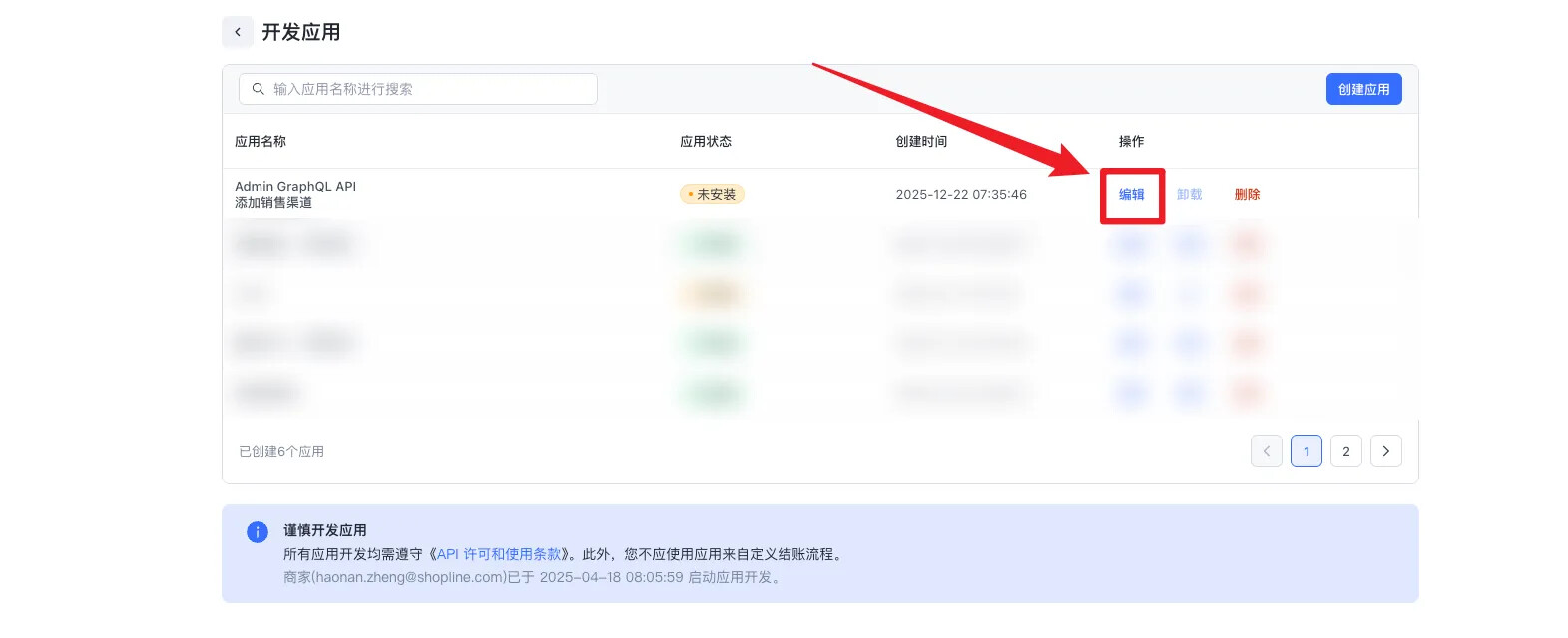
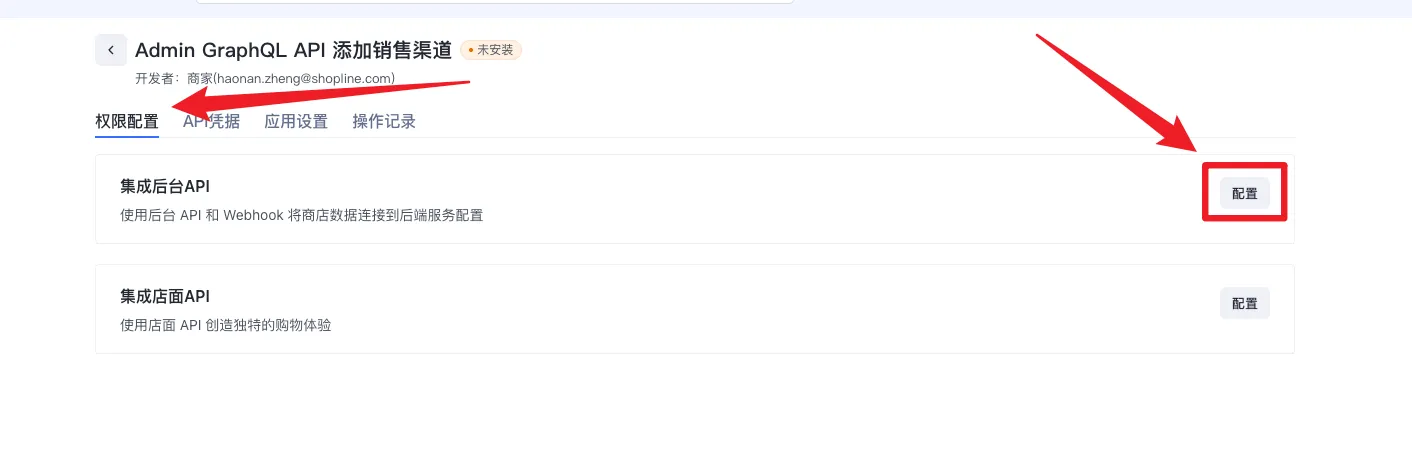
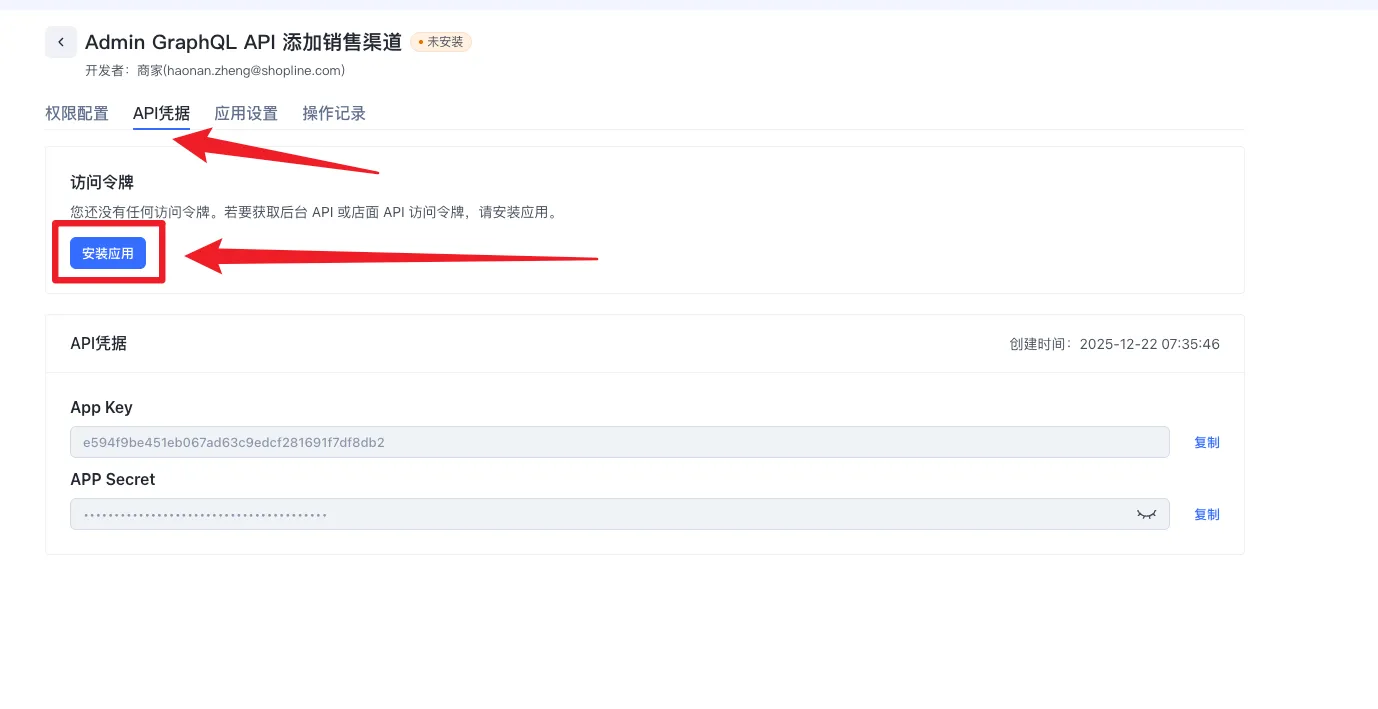
2.3. 安装私有应用
点击【API凭据】-【安装应用】
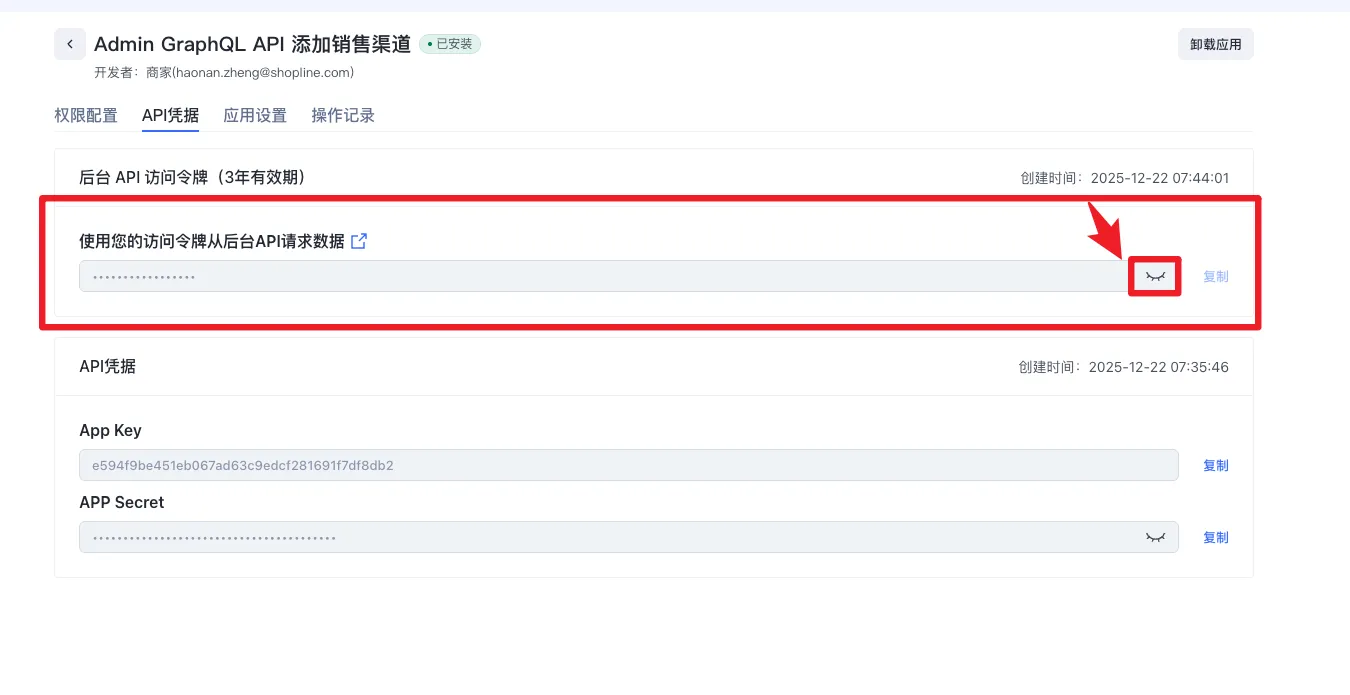
2.4. 获取后台 API 访问令牌
该token不得泄漏
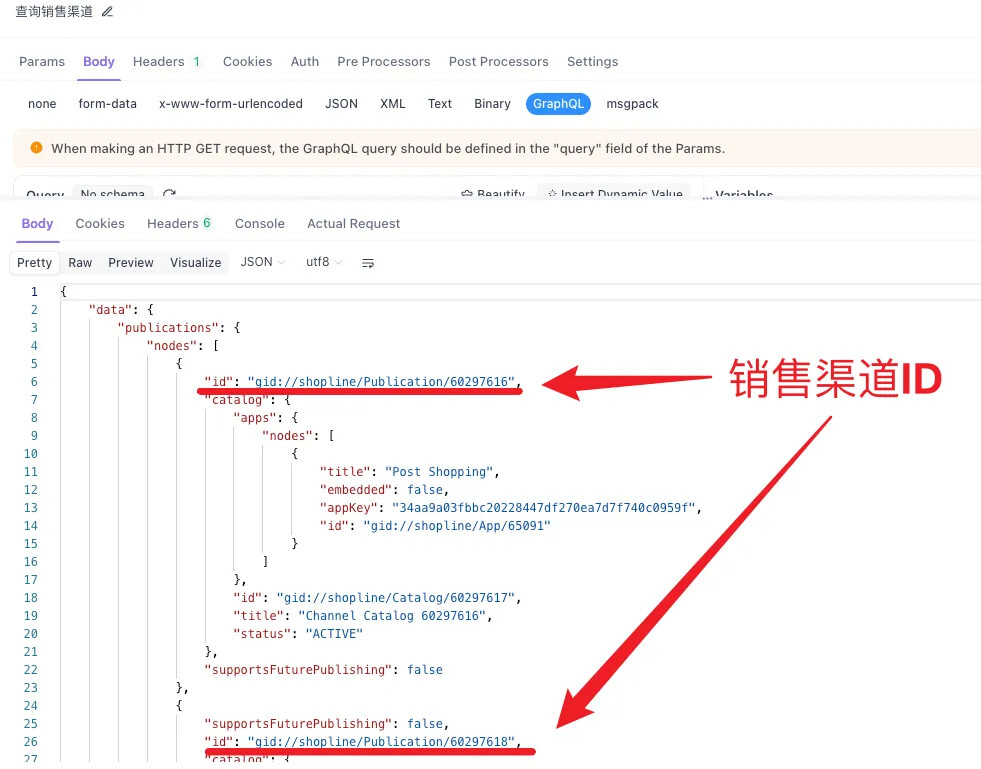
2.5. 获取所有销售渠道的ID
接口文档:
调用接口的curl:
curl --location --request GET 'https://{店铺handle}.myshopline.com/admin/graph/v20250601/graphql.json'
--header 'Authorization: Bearer 后台 API 访问令牌'
--header 'User-Agent: Apifox/1.0.0 (https://apifox.com)'
--header 'Content-Type: application/json'
--header 'Accept: /'
--header 'Host: {店铺handle}.myshopline.com'
--header 'Connection: keep-alive'
--data-raw '{"query":"query Publications {\n    publications(first: 10) {\n        pageInfo {\n            hasNextPage\n            hasPreviousPage\n            startCursor\n            endCursor\n        }\n        nodes {\n            supportsFuturePublishing\n            id\n            catalog {\n                id\n                title\n                status\n                ... on AppCatalog {\n                    id\n                    title\n                    status\n                    apps(first: 10) {\n                        nodes {\n                            appKey\n                            id\n                            title\n                            embedded\n                        }\n                    }\n                }\n            }\n        }\n    }\n}\n","variables":{}}'
返回示例:
2.6. 添加商品到多个销售渠道
接口文档:
调用接口的curl:
curl --location --request GET 'https://{店铺handle}.myshopline.com/admin/graph/v20250601/graphql.json'
--header 'Authorization: Bearer  后台 API 访问令牌'
--header 'User-Agent: Apifox/1.0.0 (https://apifox.com)'
--header 'Content-Type: application/json'
--header 'Accept: /'
--header 'Host: {店铺handle}.myshopline.com'
--header 'Connection: keep-alive'
--data-raw '{"query":"mutation PublishablePublish {\n    publishablePublish(\n        id: "gid://shopline/Product/商品SpuID"\n        input: [\n            { publicationId: "gid://shopline/Publication/销售渠道ID" }\n            { publicationId: "gid://shopline/Publication/销售渠道ID" }\n        ]\n    ) {\n        userErrors {\n            field\n            message\n        }\n    }\n}","variables":{}}'
2.7. 对销售渠道的商品进行删减
接口文档:
调用接口的curl:
curl --location --request GET 'https://{店铺handle}.myshopline.com/admin/graph/v20250601/graphql.json'
--header 'Authorization: Bearer   后台 API 访问令牌'
--header 'User-Agent: Apifox/1.0.0 (https://apifox.com)'
--header 'Content-Type: application/json'
--header 'Accept: /'
--header 'Host: {店铺handle}.myshopline.com'
--header 'Connection: keep-alive'
--data-raw '{"query":"mutation PublicationUpdate {\n    publicationUpdate(\n        id: "gid://shopline/Publication/销售渠道ID"\n        input: {\n            publishablesToRemove: ["gid://shopline/Product/商品SpuID","gid://shopline/Product/商品SpuID"]\n            publishablesToAdd: ["gid://shopline/Product/商品SpuID","gid://shopline/Product/商品SpuID"]\n        }\n    ) {\n        userErrors {\n            code\n            field\n            message\n        }\n    }\n}","variables":{}}'